Hydite — Your software team, in an IDE
An AI-Native IDE: parallel agents · local-first · design and code unified · model-agnostic · in private beta
Hydite is not yet another "AI autocomplete". If you only want Tab-suggestions, the market already has a dozen tools that do that.
Hydite is built around a different idea: fit an entire software team inside your IDE. The whole pipeline — PM scoping the spec, designer drafting the UI, frontend wiring the components, backend writing the API, QA generating tests, SRE chasing incidents — collapsed into a single workspace where multiple agents run in parallel and you command them in plain language.
Status: Hydite is currently in Private Beta. Every capability described below is already shipped; access is gated by Hydite OAuth invites.
1. What is Hydite#
In one sentence:
Hydite is an AI-Native IDE. It bundles parallel agents, semantic code understanding, a visual design canvas, on-device debugging and a local Assistant into a single workspace — local-first, model-agnostic, and a natural fit for your existing engineering flow (Git, CI, MCP, terminals).
Concretely, treat it as a superset of the tools you already use:
| What you use today | Hydite's counterpart |
|---|---|
| GitHub Copilot / Tab autocomplete | Inline completion + plan mode + multi-model routing |
| Cursor / Windsurf | Parallel agents + worktree isolation + design canvas |
| Claude Code / Codex CLI | Agent Hub + workflow orchestration + cloud scheduler |
| Figma + Storybook | Built-in canvas with 60+ design systems |
| Charles + adb / Xcode device debugging | VPhone: Android / iOS device bridge |
| Postman / Bruno | Native MCP ecosystem + hundreds of built-in tools |
| Local CLI AI helpers | Hydite Assistant — fully local (cloud version optional) |
Putting all of these into the same workspace, with cross-tool collaboration baked in — that's the whole ambition.
2. Design philosophy#
Hydite is built around four convictions:
❶ Not autocomplete — agents are first-class#
Mainstream AI coding tools are "press-and-suggest". Hydite frees agents from the chat box:
- One sentence kicks off N agents that run in physically isolated Git worktrees — no more single-threaded queuing.
- Long jobs go to a cloud scheduler — keep running while your laptop is closed, results stream back when you're online.
- Agents can call workflows, skills and MCP tools — not just discussing code, actually doing the work.
❷ Parallel > serial#
One human can only do one thing at a time. Ten agents can do ten things.
Five agents, five jobs at once — A implements, B writes tests, C drafts docs, D refactors, E fixes a bug. Physically isolated Git worktrees mean they never step on each other. They merge back through a unified review; rolling back any failure is as cheap as closing a browser tab. A serial 1-hour job becomes a parallel 10-minute job.
❸ Local-first + privacy-first#
Your code never leaves your machine by default.
Compliance is the real reason most teams can't adopt cloud AI IDEs. Hydite ships three privacy tiers:
| Mode | Code leaves your machine? | Context to cloud models? | Best for |
|---|---|---|---|
| High Privacy | ❌ Never | Local models only; local Assistant fully usable | Finance / government / classified |
| Standard | Only essential snippets | Encrypted, sandboxed | Most commercial work |
| Self-hosted Enterprise | Never leaves your VPC | Self-hosted Vtslx AO gateway | Regulated industries |
Every agent tool call runs in a sandbox by default (macOS Seatbelt / Linux namespaces); sensitive directories must be explicitly allowlisted. Agents physically cannot rm -rf /.
❹ Design and code, one source of truth#
UI/UX shouldn't live in another Figma tab. Hydite's Design Hub brings it back into the IDE:
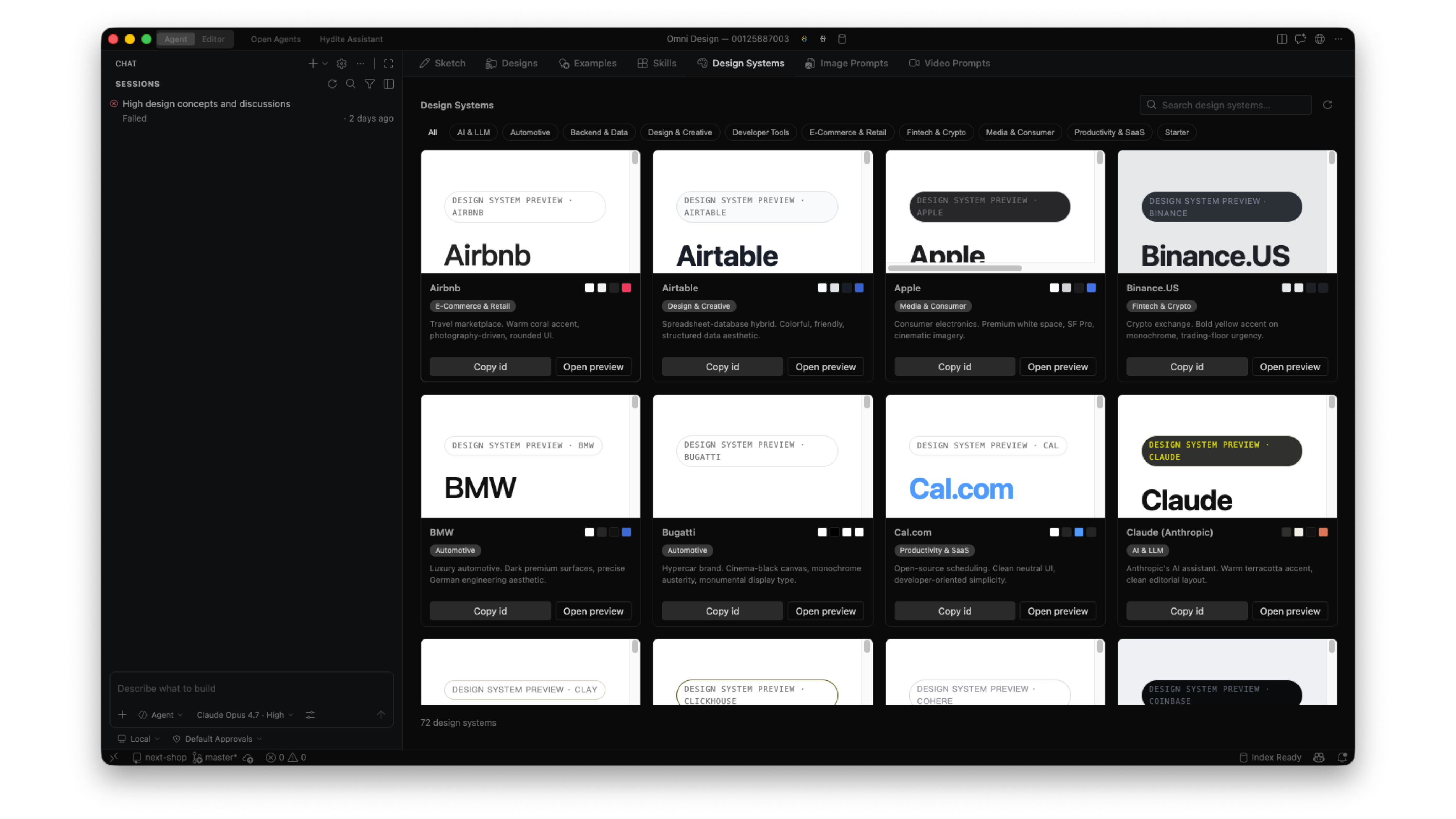
- 60+ design systems out of the box (Apple HIG, Airbnb DLS, Binance, Material 3, …).
- Drag components, tweak tokens, generate code — all on a canvas inside the IDE.
- Edit code → design updates. Edit design → code updates. One source of truth.
3. Four primary pillars (+ one local companion)#
1Hydite2 ┌──────────┬──────────┬──────────┬──────────┐3 ▼ ▼ ▼ ▼ ▼4Agent Hub Context Hub Design Hub VPhone ← Four primary pillars5 │ │ │ │6 └──────────┴──────────┴──────────┘7 ▲8 ┌───────┴───────┐9 │ Local Assistant │ ← Always-on companion (local-by-default, optional cloud)10 └────────────────┘11 │12 Model-agnostic · Local-first · MCP-native3.1 Agent Hub — parallel work, on tap#
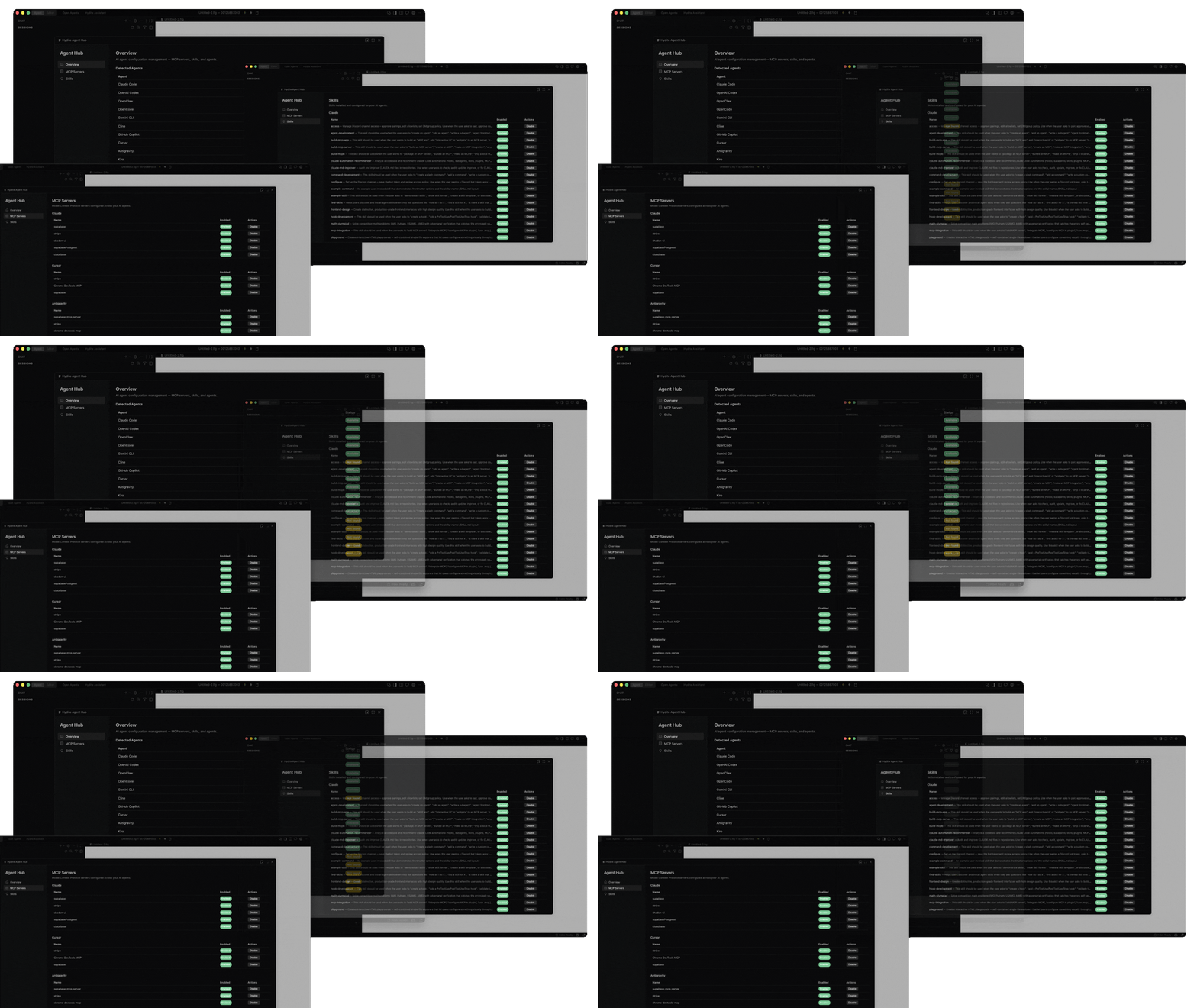
| Capability | Description |
|---|---|
| Parallel agents | Dispatch N agents at once; each runs in its own worktree |
| Cloud agents | Long jobs run in a 24×7 cloud scheduler — closed laptop, still running |
| Workflow orchestration | Compose agents + skills + MCP into reusable workflows, version-controlled |
| Skills marketplace | Hundreds of built-in skills (SEO, backtesting, security audit, content…) |
| Custom skills | Define your own workflow in minutes with Markdown + scripts |
| Plan mode | Plan first, act second — task breakdown, acceptance criteria, full audit trail |
| Todo tooling | Structured execution — progress visible, failures retriable |
| Native MCP | Hundreds of MCP Servers ready: Stripe / Supabase / Figma / Notion / … |
3.2 Context Hub — agents that actually understand your code#
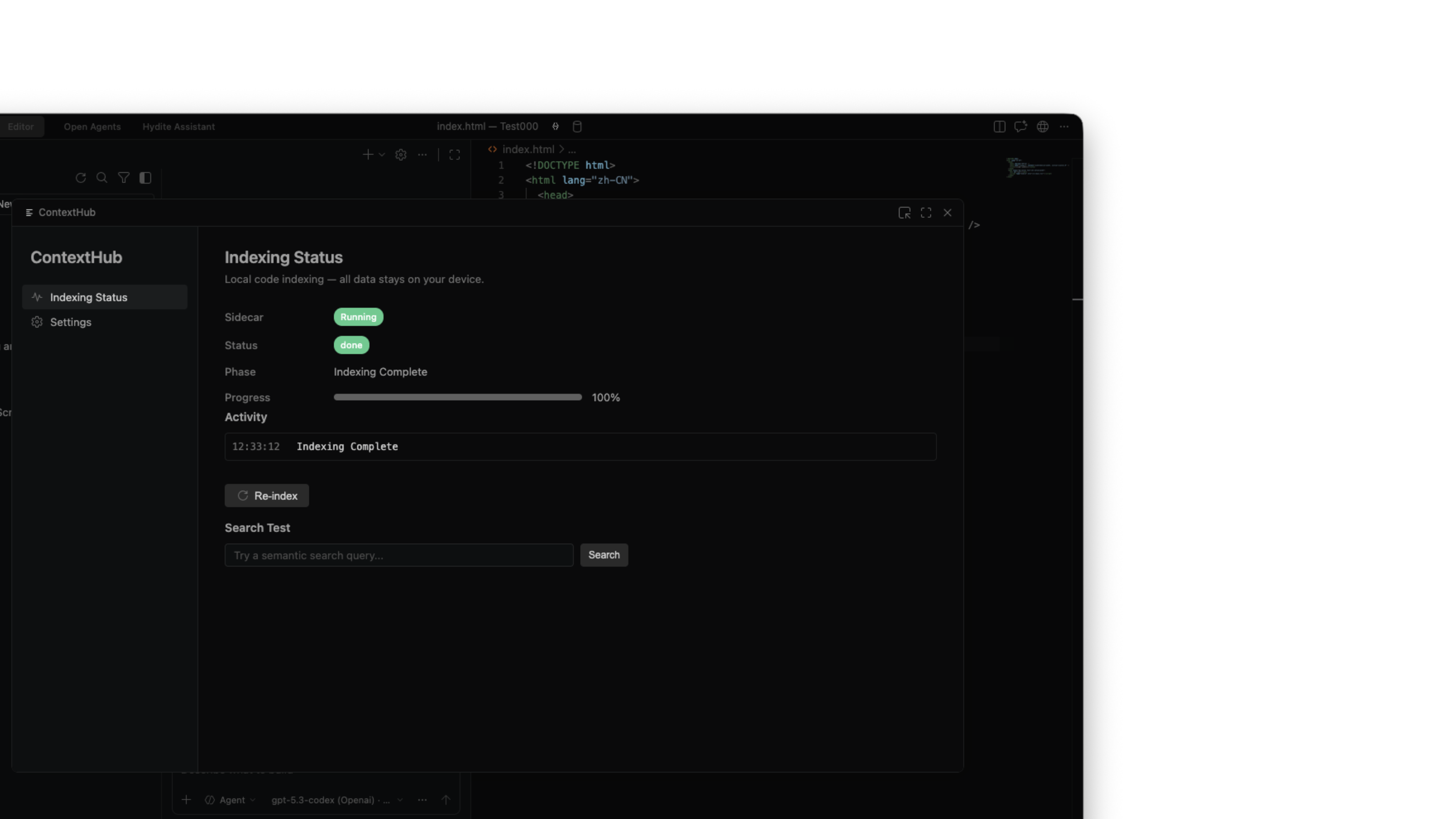
Plenty of tools claim "code understanding" — most just stuff the current file into a prompt. Hydite's Context Hub does more:
- Semantic indexing: project-level vectors that describe behaviour, not keyword matches.
- Cross-file tracing: from API call → implementation → tests in one hop.
- Change-impact analysis: before you edit a function, see who calls it.
- Long-context routing: super-long contexts auto-route to Gemini 3.1 / Kimi K2.6 with million-token windows.
3.3 Design Hub — design systems live in the IDE#
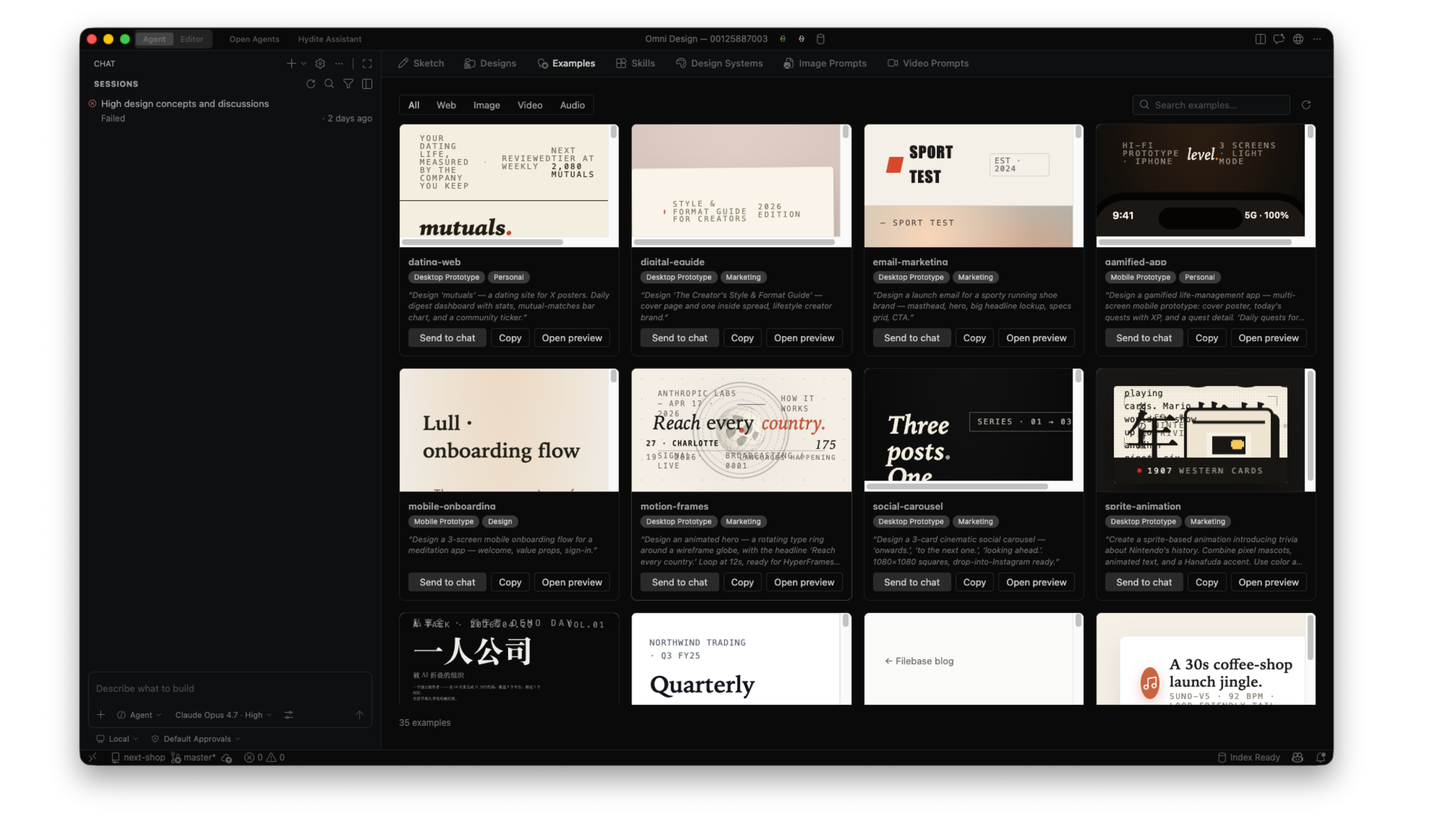
| Capability | Description |
|---|---|
| 60+ design system templates | Apple / Airbnb / Binance / Material 3 / Carbon / Atlassian … |
| Visual canvases | Open Design Canvas + High Design Canvas + Omni Design Canvas (three tiers) |
| Sketch mode | Draw wireframes; agent reverse-generates implementation code |
| Token sync | Change one colour / font / spacing — every component updates |
| Image references | Drop in a reference image; agent restores it pixel-accurately |
3.4 VPhone — real devices inside your IDE#
The black box of mobile debugging is finally cracked open:
- Android / iOS device bridge: USB-plug, and the IDE can read logs, take screenshots, tap, capture network.
- Agent-readable device context: crash repro, UI automation, perf analysis — all scriptable.
- Record-and-replay: turn a manual session into a reusable test case.
- Multi-device parallel: connect several real devices and run regression in parallel.
3.5 Hydite Assistant — always-on local companion (not the headline)#
Assistant isn't the protagonist; it's the always-on companion in the side panel while you drive Agent Hub / Context Hub:
- Fully local: ships local-by-default, project context never leaves your machine — fits any privacy posture.
- Optional cloud version: opt in to cloud Assistant for top-tier models and cross-device sync.
- For lightweight tasks: explain a snippet, look up an API, answer a syntax question, generate a commit message — hand the heavy lifting to Agent Hub.
4. Foundation layer#
Three "ground-floor" capabilities under the four primary pillars + Assistant:
4.1 Model-agnostic#
Hydite locks you into no vendor. Through the Hydite Vtslx AO gateway, dozens of providers worldwide — one key, with routing, fallback, rate limits and billing baked in.
Global flagships#
| Family | Flagship models |
|---|---|
| OpenAI | GPT-5.5 · GPT-5.5 Pro · GPT-5.2 · GPT-5.5 Instant |
| Anthropic | Claude Opus 4.7 · Sonnet 4.6 · Haiku 4.5 · Mythos |
| Gemini 3.1 · Gemini 3.1 Flash | |
| Meta | Llama 4 Behemoth · Llama 4 Maverick · Muse Spark |
China-native#
| Family | Flagship models |
|---|---|
| DeepSeek | V4 Pro · V4 Flash · R1-0528 |
| Qwen (Alibaba) | Qwen3.6 · Qwen3.6-Max · Qwen3-Coder-Next · QwQ-32B |
| Zhipu | GLM-5 |
| Moonshot | Kimi K2.6 |
| MiniMax | M2.7 |
| ByteDance | Doubao Seed 2.0 |
| StepFun | Step 3.5 Flash |
Open-source & specialised#
| Family | Flagship models |
|---|---|
| Mistral | Large 3 · Small 4 |
| xAI | Grok Heavy · Grok 4 |
| Cohere | Command R+ |
| Other | Any community / self-hosted open-weight model |
Pick the right brain per task — never work for one vendor's roadmap. Full catalogue and same-alias fallback routing in the Vtslx AO API Reference.
4.2 Local-first#
| Dimension | What Hydite does |
|---|---|
| Code | Stays on your machine by default; never leaves in High Privacy mode |
| Index | Built locally; vectors stored locally |
| Inference | Direct local-model support (Ollama, vLLM, OpenAI/Claude-compatible local endpoints) |
| Tool sandbox | macOS Seatbelt / Linux namespaces; sensitive paths require explicit allowlist |
| Gateway | Run via Hydite Vtslx AO on your own domain or fully self-hosted |
4.3 Native MCP#
Model Context Protocol is the "USB standard" for AI agent tooling. Hydite supports it natively — hundreds of MCP servers work out of the box:
- Payments / commerce: Stripe, PayPal, Lemonsqueezy
- Data / backends: Supabase, PostgreSQL, Redis, MongoDB
- Collaboration / docs: Figma, Feishu, Notion, Slack, Linear
- DevOps: GitHub, GitLab, Sentry, Datadog
- Content: Web Search, Brave, Perplexity, AutoGLM
You can also register an internal MCP server with one line of config, exposing your in-house systems to agents.
5. Deployment modes#
Hydite ships four deployment modes for different compliance postures:
5.1 High Privacy mode#
1Your machine2├─ Code ← stays local3├─ Index ← local vector store4├─ Models ← local inference (Ollama / vLLM / private GPUs)5├─ Assistant ← fully local6└─ Agents ← local sandbox executionZero egress. Use for finance, government, healthcare, defence.
5.2 Standard mode#
1Your machine Cloud2├─ Code → only essentials (encrypted) ─┘3├─ Index ← built locally ↓4├─ Models ← cloud routing ← │5└─ Agents ← local sandbox │6 (Hydite Vtslx AO gateway)Cloud models accessed via Hydite Vtslx AO; only essential snippets leave your machine, encrypted in transit. The default for ~99% of commercial projects.
5.3 Team mode#
A whole team shares one self-hosted Hydite Vtslx AO gateway:
- Unified API key governance (API Key Groups).
- Unified rate limits and budgets (Rate Limiting).
- Unified audit and compliance logs.
- Shared skills, workflows and design systems across the team.
5.4 Enterprise self-hosted#
Every component runs inside your network:
- IDE client + agent scheduler + model gateway + index service — fully on-prem.
- Integrates with your SSO / LDAP / private CA.
- See Dedicated Instance.
6. Who uses Hydite#
| Role | What they do with Hydite |
|---|---|
| Solo dev / founding engineer | Treat Hydite as the full-stack teammate — design to deploy, one person |
| Startup CTO | Codify processes into skills + workflows; new hires productive on day one |
| Frontend / mobile teams | Unified design system + VPhone real-device regression + parallel agents on UI work |
| Backend / platform teams | Long jobs in cloud agents — auto-refactors, auto-tests |
| Finance / government / regulated | High Privacy mode + self-hosted gateway + full audit |
| AI / data teams | Model-agnostic switching + long-context routing + custom-skill orchestration |
7. How Hydite differs#
| Dimension | GitHub Copilot | Cursor | Windsurf | Hydite |
|---|---|---|---|---|
| Inline completion | ✅ | ✅ | ✅ | ✅ |
| Chat | ✅ | ✅ | ✅ | ✅ |
| Agent execution | Limited | ✅ | ✅ | ✅ |
| Parallel agents | ❌ | Single | Single | ✅ N-way parallel |
| Cloud 24×7 | ❌ | ❌ | ❌ | ✅ |
| Multi-coworker chat | ❌ | ❌ | ❌ | ✅ |
| Local-first / privacy | ❌ | Limited | Limited | ✅ 3-tier privacy |
| Full self-hosting | ❌ | ❌ | Partial | ✅ |
| Model-agnostic | OpenAI-leaning | Multi | Multi | ✅ 8 families |
| Native MCP | Limited | ✅ | ✅ | ✅ Hundreds |
| Design canvas | ❌ | ❌ | ❌ | ✅ 60+ systems |
| Real-device debug | ❌ | ❌ | ❌ | ✅ iOS/Android |
| Skills marketplace | ❌ | Partial | Partial | ✅ Hundreds built-in |
| Enterprise API governance | ❌ | ❌ | ❌ | ✅ Vtslx AO |
Hydite's edge isn't a single killer feature — it's a complete workspace: editor + parallel agents + design + devices + governance + privacy, all in one IDE.
8. Getting started#
Beta access: Hydite is invitation-only via Hydite OAuth. All you need is a Hydite Vtslx AO account — no GitHub / Google / email required.
5-minute first taste#
- Download Hydite (macOS / Windows / Linux).
- Click Sign in with Hydite — the browser handles the OAuth handshake against your Hydite Vtslx AO account.
- Open any project — Hydite auto-builds a semantic index.
- ⌘ K to summon the local Assistant. Say: "Walk me through this project."
30-minute migration from your current IDE#
- One-click import from VS Code / JetBrains (settings, keymaps, extensions).
- Pick a privacy mode in Workspace → AI Settings.
- Enable 1–2 skills in the Agent Hub (start with
code-essentialsandgit-essentials). - Dispatch your first parallel agent: "Replace every
console.login this folder withlogger.debug."
1-hour team rollout#
- Deploy a Hydite Vtslx AO gateway shared by the team.
- Configure API Key Groups for frontend / backend / CI.
- Set Rate Limiting — quotas and budgets.
- Codify 3–5 high-frequency workflows into skills; new hires get them on day one.
9. Documentation map#
Every capability below already ships in the Hydite beta; the corresponding docs are being written:
| Topic | Status |
|---|---|
| Agent Hub — parallel / cloud / skills | Beta · docs in progress |
| Context Hub — semantic indexing and code understanding | Beta · docs in progress |
| Design Hub — design canvas and design systems | Beta · docs in progress |
| VPhone — real-device debugging | Beta · docs in progress |
| Hydite Assistant — local companion (with cloud option) | Beta · docs in progress |
| Privacy & sandboxing | Beta · docs in progress |
| MCP ecosystem | Beta · docs in progress |
| Hydite Vtslx AO — LLM gateway and key governance | Live |
In one line#
Hydite fits a software team into an IDE. You're not using a completion tool — you're commanding a 24×7 engineering organisation that runs in parallel, stays compliant, and never locks you to a vendor.
Next: Agent Hub — parallel agent guide (rolling out during the beta).