Context Hub — make AI actually understand your repo (and keep it on your machine)
A locally-built project semantic index, so Agent / Edit / Assistant can reason across your whole codebase without anything leaving your laptop.
Most AI editors that promise to "understand your code" really do one thing: stuff a few hundred lines of the current file into the prompt.
That's good enough for toy projects. Real engineering codebases routinely involve:
- Thousands of files, hundreds of thousands of lines, dozens of sub-modules.
- A single API spread across controller / service / repository / event handler / migration.
- A type definition referenced 200 times — and you need to know what breaks before changing it.
Hydite's Context Hub is built for that world. It builds a project-level semantic index on your machine, so Agent / Edit / Assistant can reason across the whole repository. Code, index, and inference all stay local by default.
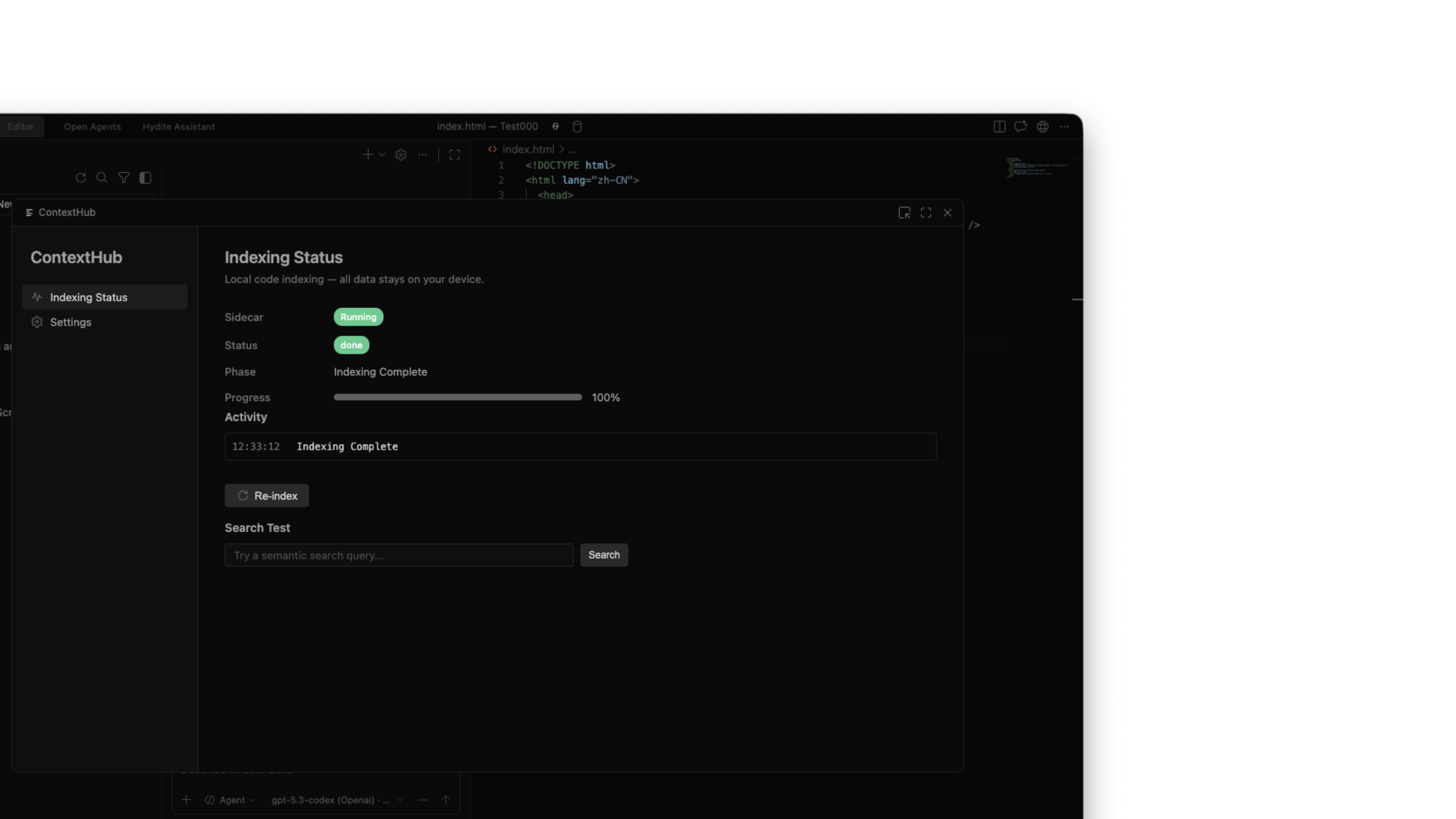
1. What Context Hub solves#
Compare three concrete capabilities:
| Capability | Plain AI autocomplete | Hydite Context Hub |
|---|---|---|
| Reads the current file | ✅ | ✅ |
| Knows who calls this function | ❌ Mostly guessing | ✅ Local call graph |
| Follows a cross-module business flow | ❌ | ✅ Walked via the semantic index |
| Predicts blast radius before changing a shared type | ❌ | ✅ Change-impact analysis |
| Project bigger than the model's context window | ❌ Truncates | ✅ Pulls only the most relevant slices |
| Does any of this leave your machine? | Usually yes | No |
Mnemonic: plain tools "read what's in front of them". Context Hub "carries a map" and knows where to fetch what.
2. A locally-built project semantic index#
The single most important property is local-first. When you open a project, Hydite:
- Uses a built-in on-device model to build a semantic index of the whole repo on your machine.
- Writes index files only to a local directory (defaults to
.hydite/index/, easy to add to.gitignore). - Incrementally updates as files change — no full rescans.
- When you close the IDE, the index sits on disk; reopen and it loads instantly.
1┌──────── Your machine ────────┐2│ │3│ Source code │4│ │ │5│ ▼ │6│ On-device model ─→ Index │ ← never goes online7│ │ (local)│8│ ▼ │9│ Agent / Edit / Assistant use it10│ │11└──────────────────────────────┘There is no "upload to the cloud first" step. That matters:
- Classified projects can use Context Hub freely — the index itself is sensitive, and keeping it local is the safest place.
- Works offline. All cross-file capabilities stay available without a network.
- You are the sole owner. Delete the project, delete the index. Nothing left behind in some cloud.
3. Context Hub indexes more than text#
Most RAG tools chop code into "long strings". Context Hub indexes much more:
| Dimension | What's indexed | What Agent does with it |
|---|---|---|
| Semantic chunks | Functions / classes / modules at semantic boundaries | Find code by intent, not keywords |
| Symbols & types | Signatures, types, interfaces, exports | Cross-file definition / reference / implementation tracing |
| Call graph | Who calls who, who implements who | Predict blast radius, walk call chains |
| Test linkage | Two-way mapping between implementations and tests | Edit a function — surface the matching tests |
| Git history | Recent changes at file / function granularity | Explain "why is this written this way" |
| Docs & comments | READMEs, comments, ADRs, design docs | Speak your team's language, not generic terms |
| Designs (optional) | Canvases and tokens from Design Hub | Map design ↔ code |
| MCP resources (optional) | Resources exposed by your connected MCP servers | Pull external knowledge into the same graph |
Once built, every dimension is woven into a single semantic graph. One Agent question can simultaneously surface the symbol, its callers, its recent changes, its tests, and the relevant docs. That's what "understands your project" actually means.
4. How Agent / Edit / Assistant use Context Hub#
Three modes, three usage patterns, one shared index.
4.1 Agent mode#
In Agent's multi-step loop, every step actively pulls relevant context from the Hub:
- "Implement this API" → Context Hub returns controller scaffolds, related DTOs, similar existing tests.
- "Refactor this code" → Context Hub returns every caller and every type dependency.
- "Fix this bug" → Context Hub bundles each function in the stack trace plus its recent changes.
Agent's "reference manual" and "memory" are Context Hub.
4.2 Edit mode#
Edit doesn't run tools, but still rides on Context Hub:
- Trigger Edit on a selection — Context Hub auto-pulls type definitions, callees, related tests near the selection.
- You don't @-mention files; Edit knows which lines matter.
- The diff Edit returns references real symbols in your code, not invented APIs.
4.3 Hydite Assistant#
The Assistant is your always-on local companion. Ask "what does this function do?" or "who calls this API?" — it queries Context Hub, then explains via the on-device model. Conversation stays local by default.
5. Long-context routing — big repos, no panic#
When a single conversation needs more context than the model's window allows, Context Hub does two-layer handling:
- Semantic compression: pull only the most relevant 5–10% of slices, not the whole folder.
- Long-context routing: with cloud models authorised, oversized scenarios route to million-token-window models (e.g. Gemini 3.1, Kimi K2.6); under High Privacy, they route to your local long-window model instead.
Net effect: the bigger your repo, the more obvious the gap between Hydite and "drop file, hope for the best" tools.
6. Relationship with the three privacy modes#
Context Hub and Hydite's privacy tiers are co-designed:
| Privacy mode | Index build | Index storage | Retrieval behaviour | Best for |
|---|---|---|---|---|
| High Privacy | Local | Local | Local search + on-device explanation only | Finance / government / classified |
| Standard | Local | Local | Local search → only the minimum relevant slices reach the cloud prompt | Most commercial work |
| Self-hosted Enterprise | Local | Local | Local search → inference via your private Vtslx AO gateway | Regulated industries |
Note: index construction is always local. The only difference between tiers is "who answers based on the retrieval results".
7. Manual control#
Context Hub is zero-config out of the box. When you want fine control:
| Action | Where |
|---|---|
| Force-rebuild the index | Command palette: Hydite: Rebuild Project Index |
| Pause incremental updates | Status bar → Context Hub → Pause |
| Exclude directories | .hydite/index.ignore in repo root (same syntax as .gitignore) |
| Force-include directories | .hydite/index.include (default ignores node_modules, dist, etc.) |
| Share cache across projects | Global settings → Context Hub → shared cache directory (still local) |
| See index size | Status bar → Context Hub → Details |
Tip: a typical 500K-LOC project produces an index sized 5–15% of source, and builds in minutes. After that it's purely incremental — you barely notice.
8. FAQ#
Q: Will the index quietly upload anywhere?
A: No. Context Hub writes the index to a local .hydite/index/. Anything cloud-bound goes through Standard / Self-hosted Enterprise modes' explicit flow, and only sends the most relevant slices — never the index itself. High Privacy disables cloud entirely.
Q: Can a team share one index? A: Yes, but the recommended default is one local index per developer. For team-shared search, use the Self-hosted Enterprise tier: keep retrieval cache on an internal share or private object store, accessed through your Vtslx AO gateway.
Q: Does branch switching invalidate the index? A: No. Context Hub is Git-aware; switching branches triggers a minimal incremental update only. Lightweight branches switch nearly instantly.
Q: How does Context Hub handle a monorepo?
A: One index per repo by default; cross-package references work out of the box. To index only specific workspaces, list them in .hydite/index.include.
Q: Can I use it as a search box?
A: Yes. Beyond Cmd/Ctrl + Shift + F, Hydite ships a semantic search entry in the top bar — describe what the code does in natural language, no keyword needed.
Q: How does Context Hub relate to Agent Hub / Skills / MCP? A: It's the foundation. Agents pull context through it, Skills consume its retrieval results as inputs, and MCP resources become part of the same semantic graph.
9. Next steps#
- See how Agent runs in parallel on top of Context Hub → Agent Hub guide (rolling out)
- Configure High Privacy / self-hosted modes → Privacy & Sandboxing guide (rolling out)
- Mode switching cheatsheet → Agent vs Edit mode